
Home services and pest control
Service companies that buy leads from several providers can track each source, avoid calling the same household twice, and hold calls to the hours they set. See SalesExec for Home Services and Pest Control.
 for call centers
The SalesExec Dialer is the power dialer built into SalesExec, ClickPoint Software's lead management platform. It helps call centers working purchased and inbound internet leads reach them fast: agents call one lead at a time from prioritized queues, inbound calls are routed in the same system, and calling hours and your Do Not Contact list help keep calls within your rules.
Last updated:
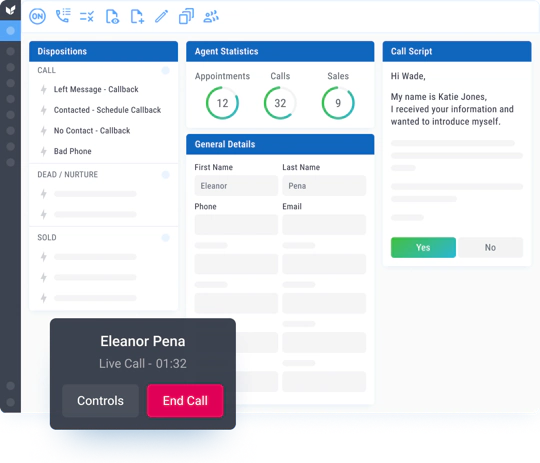
The SalesExec Dialer is built into SalesExec, so your agents can start calling without a separate phone system.
It calls one lead at a time for each agent, so a person is on every call. It is not a predictive dialer.
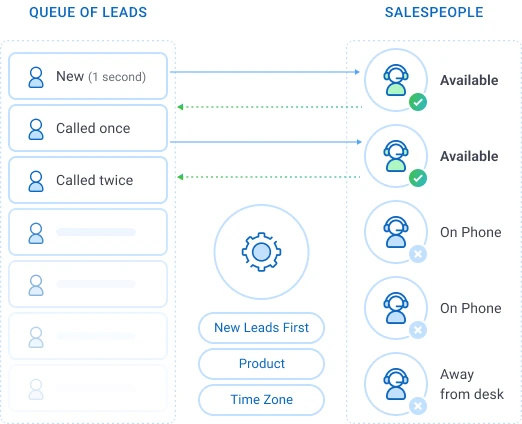
Agents work purchased and inbound internet leads from prioritized queues that can put the newest, never-called leads first.
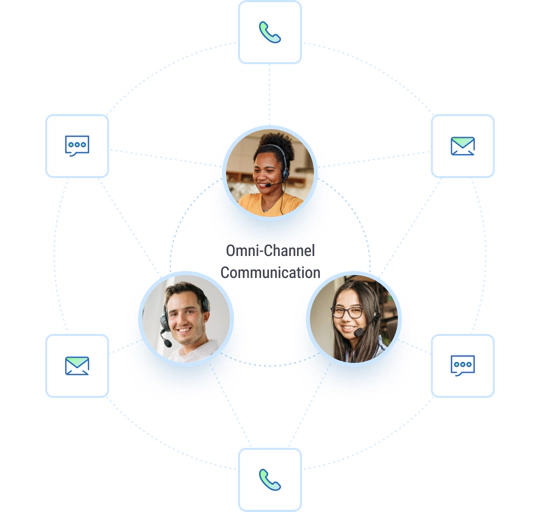
Inbound call routing, outbound power dialing, and SMS and email follow-up all run in one system, on the same lead record.
SalesExec helps enforce the calling hours and Do Not Contact rules your team sets. It does not check the National Do Not Call Registry.
SalesExec gets new internet leads in front of agents quickly, with real-time new-lead notifications and queues that can serve the newest, never-called leads first.
Agents get real-time new-lead notifications, and Auto-Pull hands each agent the next eligible lead as they finish the current one.
Managers can see response time by hour in the Hourly Performance Snapshot report, so they can spot the hours when new leads wait longest.
See Speed-to-Lead and Contact Rate Optimization for Call Centers.
A power dialer calls one lead at a time for each agent and moves on to the next lead when the call is done. The SalesExec power dialer works exactly this way, so a person is on every call. It is not a predictive dialer and does not dial several lines per agent.
Agents can power dial a list of leads they've selected, or work from prioritized Pull queues. With Pull distribution, agents take their next lead from a queue ordered by the priorities you set, instead of waiting for leads to be pushed to them. Learn more about Pull distribution.
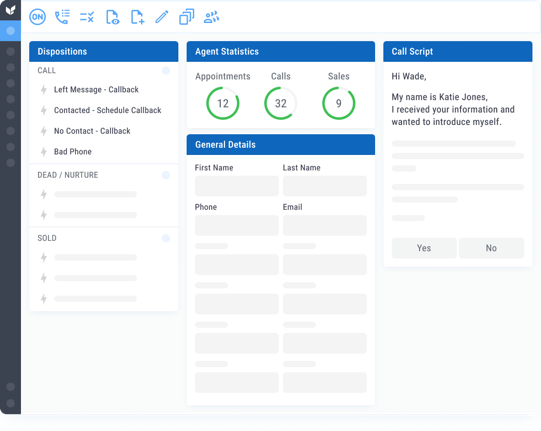
Logging an outcome moves the agent to the next lead; agents can also skip one. Click-to-dial handles single calls, a "preview-style calling" option for agents who research a lead first. Every call, outcome, note and recording is saved on the lead record and appears in SalesExec reports.
See SalesExec Power Dialer: What It Is, How It Works, and How to Set It Up for setup details.
Agents call internet leads all day.
Every call should have a person on it.
Leads need to be worked through quickly.
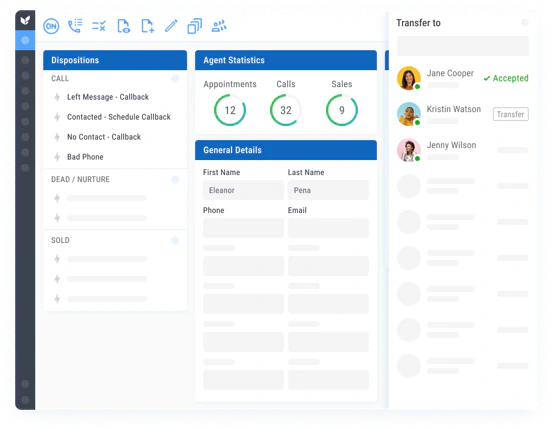
Agents should work from one calling screen.
SalesExec tracks every lead provider separately, keeps the same person from being worked twice, and uses call outcomes to drive each follow-up step.
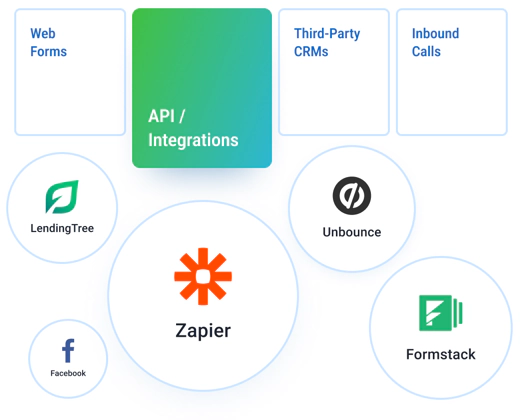
Leads arrive from lead providers, web forms, Zapier, built-in integrations such as LendingTree and Zillow, and imports, and in real time from LeadExec.
Each provider is tracked as its own lead source, so you can compare results by provider. Duplicate checks keep the same person from being worked twice.
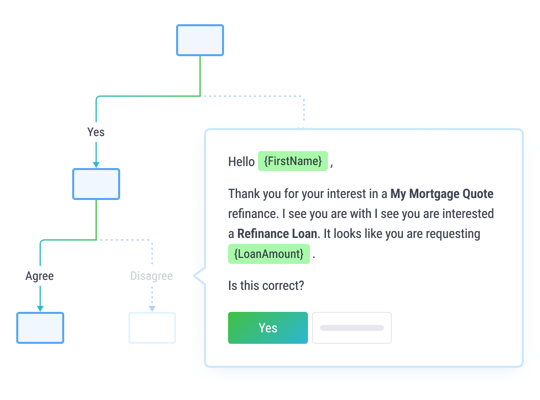
The outcome an agent logs can move a lead to its next attempt status, set a wait time before the lead can be called again, flag a bad lead for return, or record an opt-out. It can also send an SMS or email template or start an email nurture, so leads you don't reach by phone still hear from you.
Your team sets the number of attempts and how far apart they are. It all runs in SalesExec lead management software. See How to Follow Up on Purchased Internet Leads with the SalesExec Power Dialer for setup details.
SalesExec is rated 4.8 out of 5 from 81 reviews across Google, Capterra and G2.

SalesExec handles inbound calls and outbound power dialing in the same system, so every call connects to a lead record.
See how inbound call routing connects every call to lead management.
For setup details, see Inbound Call Routing and IVR for Sales Teams, Managing Call Backs and How to Route Web Leads to Agents by State Licensing in SalesExec.
Watch a new lead get pulled, dialed and followed up from one screen.
SalesExec helps enforce the calling hours and Do Not Contact rules your team sets. Leads outside your calling hours are held back from calling queues, and Do Not Phone leads are not sent to calling queues or called by the power dialer.
SalesExec does not check the National Do Not Call Registry or state registries. Teams that need registry checks run them separately and add the results to the Do Not Contact list. Here's how to scrub leads against federal and state DNC lists.
Your team and counsel decide your calling hours, holidays, call-frequency limits and Do Not Call rules. This page isn't legal advice. For background on consent, see one-to-one consent.
Local presence means calling a lead from a number local to them. The SalesExec Dialer tries a number that matches the lead's area code, then one assigned to the lead's state, then your default number.
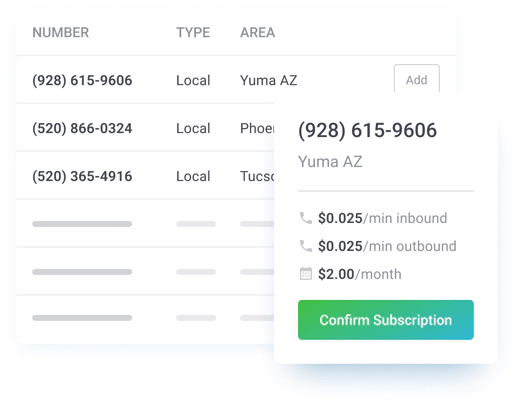
Buy local and toll-free numbers in SalesExec and assign outbound numbers to states. Caller ID options through Twilio include a CNAM display name, Branded Calling (which needs carrier approval, costs extra and varies in availability) and SHAKEN/STIR attestation for eligible numbers.
See Configure a Number for Outbound Dialing and Verified Caller ID.
Scripts fill in each lead's details, so agents don't have to look them up mid-call.
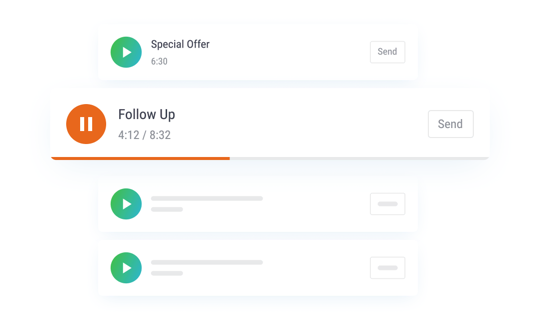
When a call reaches voicemail, agents leave a pre-recorded message and move on to the next lead.
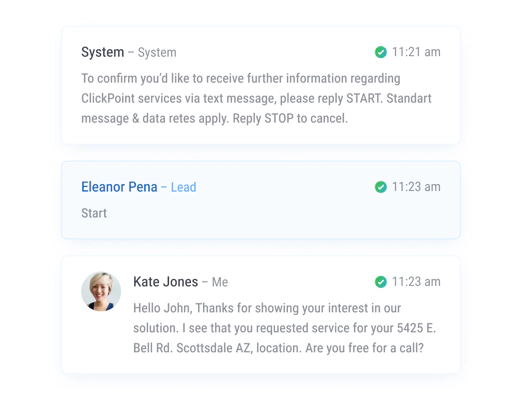
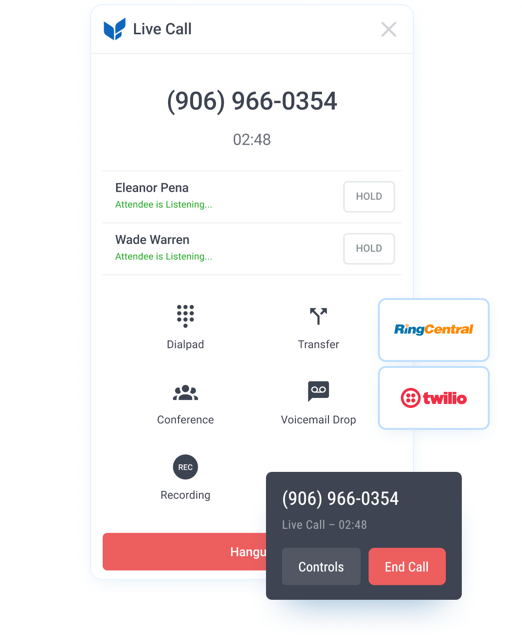
Agents can warm-transfer a live call to another person. Caller ID name lookup identifies new inbound callers, and SMS follow-up and email follow-up run from the same lead record.
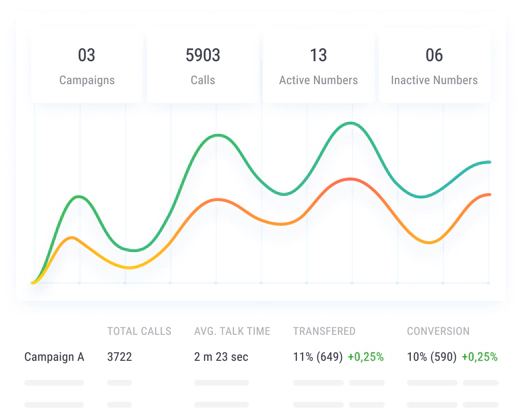
SalesExec gives call center managers live and historical views of calling activity, from agent status right now to how many times each lead has been called.
Each report defines contact rate in its own way, and ClickPoint does not publish a universal "good" contact rate. Explore SalesExec reporting, and see How to Measure Contact Rate and Call-Center Metrics in SalesExec.
A power dialer calls one lead at a time for each agent, a predictive dialer dials several lines per agent, and click-to-dial places a single call when the agent clicks. SalesExec includes power dialing and click-to-dial, and offers predictive dialing through its Five9 integration.
| Factor | Power dialer | Predictive dialer | Click-to-dial |
|---|---|---|---|
| How calls are placed | One lead at a time for each agent | Several lines dialed per agent | One call, placed when the agent clicks |
| Agent on every call? | Yes | Not on every dial; the agent is connected once a call is answered | Yes |
| Best for | Teams calling internet leads all day, with a person on every call | High-volume outbound campaigns that need to maximize agent talk time | Agents who need to research a lead before calling |
| In SalesExec | Built in | Via the Five9 integration | Built in |
Source: Power Dialer Buyer's Guide for Call Centers
If your agents work internet leads all day and you want a person on every call, the SalesExec power dialer fits. Click-to-dial suits agents who research each lead first. If your operation needs predictive dialing, SalesExec can send leads to Five9 through the Five9 integration, which supports predictive, preview and power dialing.
SalesExec also integrates with Nextiva, Cisco WebDialer, SIP, RingCentral and Twilio; see all SalesExec phone integrations. Read How to Choose a Lead Management Tool for a Call Center.
Call centers and inside sales teams that buy or generate internet leads and work them by phone use the SalesExec power dialer.
Service companies that buy leads from several providers can track each source, avoid calling the same household twice, and hold calls to the hours they set. See SalesExec for Home Services and Pest Control.
Loan teams receiving leads from sources such as LendingTree can work them from prioritized queues, with every call, note and recording kept on the borrower's record. See SalesExec for Mortgage.
Agencies can route each lead only to agents who work the lead's state, while keeping their own licensing records, and follow up by phone, text and email from one system.
Teams that call all day use the power dialer, scripts and voicemail drops to move from one conversation to the next, while managers watch live agent status. See how a call center cut lead response time in this Call Center Lead Management Case Study.
SalesExec costs $55 per user per month on Standard or $72 per user per month on Advanced, billed monthly in USD with no minimum number of users and no long-term contract. Calling, SMS, and optional telecommunications services are billed separately.
Both plans include SalesExec Lead Management, Lead Prioritization, Pull-Based Lead Assignment, Sales Engagement and Reporting. Calling (Twilio or supported third-party phone integrations) and SMS are pay as you go.
| Plan | SalesExec Standard | SalesExec Advanced |
|---|---|---|
| Price | $55/user/month | $72/user/month |
| Includes | Preconfigured workflows; Standard Support | Configurable workflows; Dedicated Support |
These are billed separately from the software subscription.
| Item | Price |
|---|---|
| Unlimited Dialing Add-On | $155 per active user per month |
| Pay-As-You-Go Calling | $0.025 per minute |
| SMS Messaging | $0.02 per 160-character segment |
| Local Phone Numbers | $2 per number per month |
| Toll-Free Calling Surcharge | $0.015/minute |
| Toll-Free Phone Number | $3/month |
| Warm Transfer | $0.01/minute |
| Call Recording | $0.003/minute |
| Caller ID Name Lookup | $0.0125/lead |
| Answering Machine Detection | $0.01/call |
Example
See current SalesExec pricing and How Much Does SalesExec Cost? Pricing for SalesExec and SalesExec Dialer.
| Item | Monthly Cost |
|---|---|
| 10 Standard Users × $55 | $550 |
| 10 Unlimited Dialing Users × $155 | $1,550 |
| 10 Standard users + unlimited dialing for all 10 users | $2,100 |
SalesExec helps enforce the calling hours, holiday restrictions and Do Not Contact rules your team sets, but compliance depends on your own policies and practices. It holds back leads outside your calling hours and keeps Do Not Phone leads away from the power dialer. It does not check the National Do Not Call Registry or state registries. Consult your counsel on the rules that apply to your calls.
Yes. SalesExec tracks each lead provider as its own lead source, checks for duplicates so the same person isn't worked twice, and serves leads to agents from prioritized queues. Call outcomes drive follow-up: they can move a lead to its next attempt, set a wait time before the next call, send an SMS or email, flag a bad lead for return, or record an opt-out. Your team sets the number and spacing of attempts.
No. The SalesExec Dialer is a power dialer: it calls one lead at a time for each agent, so a person is on every call, and it does not dial several lines per agent. If your team needs predictive dialing, SalesExec can send leads to Five9 through its Five9 integration, which supports predictive, preview and power dialing.
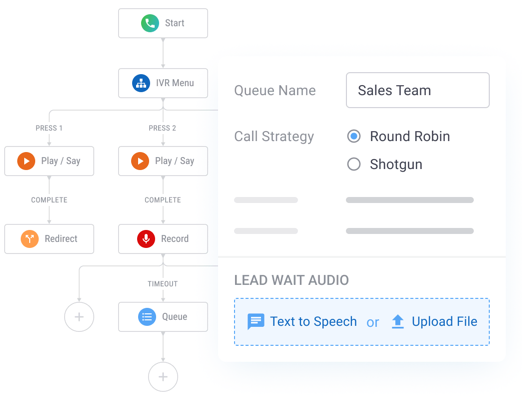
Yes. Inbound calls run through call flows with IVR menus and go into queues that distribute them round robin or shotgun-style, with overflow handling and optional recording. Each inbound call can be matched to an existing lead or create a new one, and a lead who calls back a number they saw on caller ID can be routed to the last agent who dialed them.
Yes. State-based routing limits which states' leads each agent can work, so you can send leads only to agents licensed in the lead's state. SalesExec does not verify licenses. Your team keeps the licensing records and decides which states each agent can work.
No. SalesExec does not check numbers against the National Do Not Call Registry or state registries. Teams that need registry checks run them separately and add the results to SalesExec's internal Do Not Contact list. New leads are checked against that list automatically, and Do Not Phone leads are kept out of calling queues and away from the power dialer.
Yes. You can buy local and toll-free numbers in SalesExec and assign outbound numbers to states. On each call, the SalesExec Dialer tries a number that matches the lead's area code, then one assigned to the lead's state, then your default number. Caller ID options through Twilio include a CNAM display name, Branded Calling and SHAKEN/STIR attestation for eligible numbers.
No. The SalesExec Dialer is built into SalesExec, so your agents can call without a separate phone system. If you already use a phone platform, SalesExec integrates with Five9, Nextiva, Cisco WebDialer, SIP, RingCentral and Twilio, and calls can run through a supported integration instead.
Managers can see call and agent statistics, live agent status, call recordings, and a KPI report covering callable leads, dials, contacts, sales and attempts. SalesExec also compares Push and Pull distribution performance with contacted rate, shows lead penetration by number of calls, and includes dashboards and scoreboards. Each report defines contact rate in its own way.
SalesExec is $55 per user per month on Standard or $72 per user per month on Advanced, billed monthly with no minimum users and no long-term contract. Dialing is added as the Unlimited Dialing Add-On at $155 per active user per month, or as Pay-As-You-Go Calling at $0.025 per minute. Calling, SMS, and optional telecommunications services are billed separately. Details are on the SalesExec pricing page.
> SalesExec Power Dialer: What It Is, How It Works, and How to Set It Up
> Configure a Number for Outbound Dialing
> How to Route Web Leads to Agents by State Licensing in SalesExec
> How to Follow Up on Purchased Internet Leads with the SalesExec Power Dialer
> How to Measure Contact Rate and Call-Center Metrics in SalesExec
> How SalesExec Checks Do Not Contact (DNC) Compliance for Calls, SMS, and Email
> How to Set Up Call-Center Lead Management in SalesExec
> Power Dialer Buyer's Guide for Call Centers
> Speed-to-Lead and Contact Rate Optimization for Call Centers
> How Much Does SalesExec Cost? Pricing for SalesExec and SalesExec Dialer
> How to Set Calling Hours and Do Not Contact Checks in the SalesExec Dialer
Prioritized queues, the SalesExec Dialer and follow-up workflows in one lead management platform.