ClickPoint News
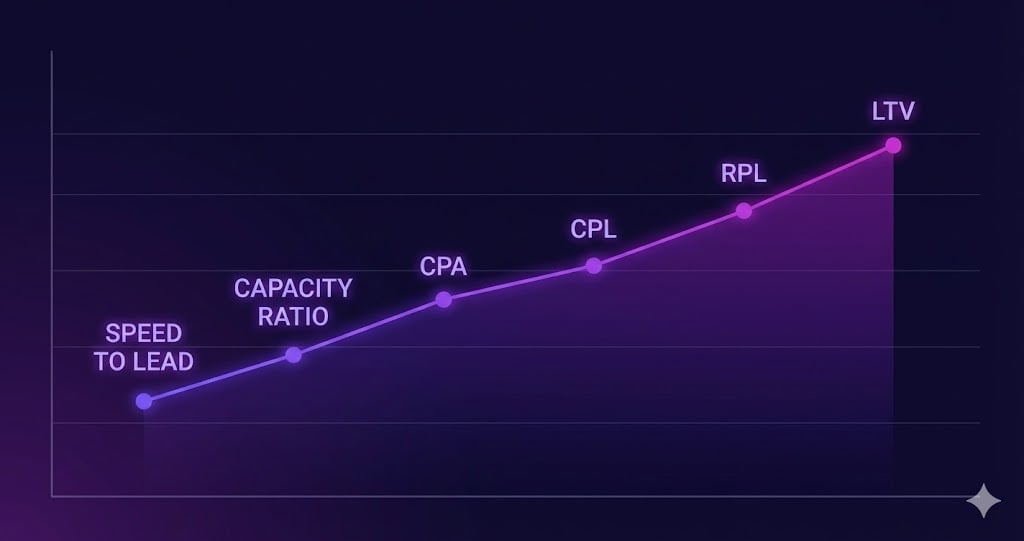
The 7 Metrics That Predict Whether a Lead Seller Will Survive the Year
Most lead sellers think they are in a marketing business.
Most lead sellers think they are in a marketing business.
In the field of email marketing, compliance with anti-spam regulations has always been crucial. But recent events have brought this issue into even sharper focus.
Sync your appointments created in ClickPoint with your Office 365 Calendar Users can sync their Appointments made via Actions, the Main Calendar, the Lead Manager Screen, or the Lead Details Screen to their Office 365 Calendar. Setup
As may be aware, California’s CCPA statutes (AB-375) take effect on January 1, 2020. ClickPoint is here to help your organization maintain compliance as it relates to our services rendered to your organization. Please be advised; you may have responsibilities related to CCPA that are outside the scope of our relationship. These include updated privacy policies on your web properties and more. Please consult your inside or outside counsel on these matters.
“A tremendous partner who is committed to the success of Freedom, that has provided greater efficiency for our sales team, leading to success in both lead conversion and scalability.” ~ Freedom Mortgage, a top 10 mortgage lender. At ClickPoint, we recognized a considerable problem with emerging technology and the rise of the informed consumer. We all love to research before we buy anything these days, but this presents a problem for salespeople who ultimately want to have meaningful conversations with potential customers and to present them with viable solutions. We Want All Salespeople To Succeed With technology rapidly progressing, the informed consumer has more options than ever to avoid conversations at all costs. These days a salesperson is required to use several complex software programs all at once to try and reach a potential customer. It can seem like an impossibly complex undertaking. We wanted to make it easier for salespeople to communicate with customers using the customers preferred communication method, at the right time, and so we did. ClickPoint Software helps high-performance sales teams with a sales solution that enables them to communicate with their prospects at the right time via phone, text, email, or chat. Our Service Advantages Dedicated Resources — We believe that each account requires a dedicated project manager, one that will see your implementation through from start to finish, available to you via phone, email, and chat. This is part of our formula, and commitment to ensuring you get real, measurable ROI from every initiative we take with you. Dedicated Design Team — Customize email nurture campaigns and landing pages, integrations, and custom design projects. Customization Team — Available for Integrations and compliance like integration with internal DNC and other internal compliance integrations. Integrations with internal LOS, Fiserv, or Applications. The ClickPoint Onboarding Process At the heart of successful partnerships is the ClickPoint concept of dedicated service; an on-board process tailored specifically for you. For those times when your team needs our support the most —we will be there. This process may include, but is not limited to: Lead Fields — We collect all the lead fields of information you collect on your website, existing software, or that you purchase from lead providers. Sales Process — We learn more about your business and your sales process. We will then build your sales process into the ClickPoint solution and make recommendations based on our knowledge and best practices. Lead Source Integration — We integrate all of your lead sources like your website or landing pages, third-party lead source, and any phone numbers you use to route phone calls. We apply budgets for marketing spend so that we can calculate real-time ROI on each lead source. We want to know in the first 30 days which lead sources are converting. Marketing Automation — We will either add your email templates or use existing templates to ensure that there is a drip email process for various stages of your leads and prospects. Lead Distribution — Our team will assess your current sales team and your plans for scaling your sales team and create the most optimal lead routing strategy. For most clients Shark Tank or Pull works best for driving contact rate and sales. For other clients, a mix of Shotgun lead routing and Round Robin is better for the type of sales team they have. We will help you create the best lead routing solution. Our team provides you with a document to help make the onboard process as efficient as possible. Most accounts under 20 seats can launch in as little as 1-2 weeks. Our goal is always a week but check out the process below to learn more about what is involved in creating an automated sales process. The ClickPoint Team Measures Client Success by Actively Tracking the Following Performance Metrics Meet the Team From locations throughout the world, the ClickPoint team is working to simplify the way salespeople communicate and follow up with their customers: 10+ Years Empowering Sales Teams of all Sizes Multiple Awards from SLMA, Leads Counsel, BBB Amazing Customer Service, Reviews, and Ratings Employees in Four States and Four Countries Enterprise Clients
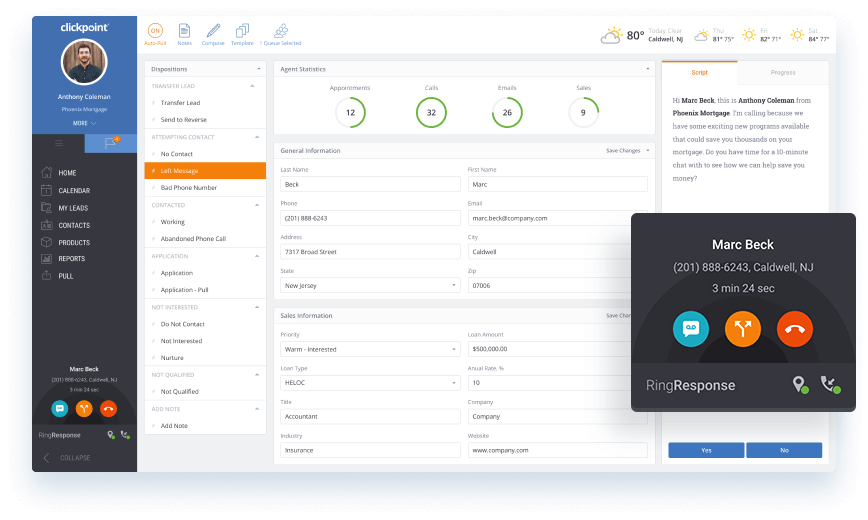
RingResponse™ meets the demanding requirements of inside salespeople, enabling them to move quickly from outbound dial campaigns to managing and transferring inbound calls. The performance of inbound calls are tracked from any marketing channel, improving call conversion and lead quality.
An Automated Event allows you to create special events which trigger based on Record Type, Action and Status of a Lead. This gives the possibility for an additional type of Nurture for your Leads.
ClickPoint customers can now call more leads in less time and automate sales activity anywhere from their Android phones and tablets.
January 24, 2018 Bug Fixes User permission to restrict access to the Lead Import page now correctly prevents users from accessing if the URL is entered manually or set as a bookmark. Improvements Updated Lead Source Summary and Monthly Leads Source Summary reports so they no longer display lead statuses that are disabled or deleted. January 10, 2018 Bug Fixes Updated wording so that “Distribution Holiday” now reads “Holiday Calling Restrictions”. Improvements Placed maintenance logging in LeadExportMicro service. January 4, 2018 Bug Fixes Fixed a bug so that Dashboard Reports and Distribution Performance Report properly calculate 2018 data. Improvements Optimizations to back-end cache clearing processes. December 20, 2017 Bug Fixes Updated /api/Lead/FetchDetails API documentation. Fixed a bug so that Leads_Created web hook transmits properly. Maintenance Maintenance logging around Push and Pull Distribution strategies. December 13, 2017 Bug Fixes POST /api/Action/Execute now properly executes “string” data-type Action Parameters. Lead Created/ WebHookType 1 now evaluates if the lead is valid before sending a webhook. Fixed a display issue related to copying “Call Hours” from one pull distribution strategy to another. When granting permission to share a Calendar, “Calendars Shared With You” now properly updates. Fixed an issue where if you try to delete a shared calendar, ClickPoint would December 6, 2017 Bug Fixes Fixed a bug in Edit Holidays section of the Distribution page where a future date could not be selected in the “From” field. Improvements Right Click Context Menu now includes the ability to send an email. System security improvements. Leads Assigned notification no longer triggers when a lead is pulled. New Features Encompass Integration. New permission setting to restrict users from accessing the Import page. November 29, 2017 Improvements Server configuration changes to improve on system security.
November 21, 2017 Improvements Right Click Context Menu: When you Right Mouse Button click on a lead within the Lead Manager Screen (LMS), you have the same functionality as the LMS Toolbar. Optimizations to Search on the Pre-Pull Page. November 16, 2017 Improvements The REST API /api/Export/DataPullLastUpdateXML now includes TotalCount in the response message to dictate the total volume of leads within the Start Date and End Date parameters. November 8, 2017 Bug Fixes Changes made to Distribution Rebuild Functionality to better handle larger lead volumes. November 1, 2017 Bug Fixes Resolved an issue where Date/Time wasn’t displaying correctly in the Lead Details Screen. Resolved an issue where if a lead moves to a status with a Unworked Leads Timer as a result of an applied Nurture strategy, it appropriately adds a deadline timer for Pull. When creating or updating the name of a Record Type, you can no longer store white spaces. Improvements Namespace updates made in the response message from the lead receiver URL. Reports Page has been updated with a new Distribution Performance Report. Updates to the Notification Type under the Edit Notification modal. The drop-down displays the text in an easier to read format. Actions on the Lead Manager Screen now break out into multiple columns if the number of actions for the Category is greater than 14. October 25, 2017 Bug Fixes Resolved an issue with Push Distribution where if all Users have maxed out their lead allowance, leads should fall over to the next available Push Strategy for distribution. Some clients reported an issue where “State” wasn’t populating correctly on the Lead Details Screen. Addressed an issue with Internet Explorer version 11.483.15063.0 where the drop down for Recipients in Push/Pull Distribution wasn’t displaying Users properly. Improvements Updated supported Browser Logos on the main ClickPoint login page. User Interface improvement to how “Status” is displayed on the Lead Manager Screen. October 18, 2017 Bug Fixes Optimizations to address sporadic instances where an appointment wouldn’t save following an executed action. Optimizations to the Lead Manager Screen to prevent duplicate display of lead information. Improvements User Interface improvements to how Statuses appear on the Lead Manager Screen. Updates to the main ClickPoint login page regarding supported web browsers. October 11, 2017 Bug Fixes Addressed a cache issue where the REST APIs would occasionally return a 500 error. POST /api/Lead/Search now correctly excludes Invalid Leads if specified in the parameter. Fixed an issue with email templates where Appointment Start Time would not convert to the proper time zone as defined by the state and zip code system fields. Appointment status (Pending, Missed, Completed) now reflect properly if marked or not marked as “Completed.” October 4, 2017 Bug Fixes Occasionally, when rebuilding a Pull Distribution strategy, the notification count in the user interface would pause on the last lead. Some clients reported that lead sync/ update would fail following an action trigger. Changes to “Whole Number” data type so that users can’t accidentally enter special characters. “Copy Status” feature stopped copying over selected Actions when duplicating statuses within a workflow. Improvements Improvements to the “Import” lead feature to ignore null values in uploaded Excel files. When updating a lead field description name, “Field Groups” section under “Edit Record Type” now dynamically update. September 27, 2017 Bug Fixes Improvements to the Export/DataPullActionXML API to prevent time out errors. Fixed a bug on the User Pull Report so it properly filters by Branch. September 20, 2017 Bug Fixes Fixed a bug that prevented statuses from being removed in a workflow due to a validation check error related to deleted nurture strategies. Fixed an issue where dropdown arrows didn’t appear on the Lead Source modal window in Microsoft Edge and Internet Explorer 9+. Fixed a bug where select user’s appointment times exported in the wrong time zone. Improvements New webhook that triggers when an action is completed. Changes to the Lead Manager Column Settings page to only display enabled call centers and branches. Updated the Lead Manager Column Settings page to clearly display which call center or branch is being edited. September 13, 2017 Changes to Rest API Site Adjustments to /api/Export/DataPullActionXML so that leads exported are based on when the action was taken and not when the lead was added Corrected formatting to various XML examples in Version 1 and Legacy API General Adjustments made to LeadReciever, Export service and SoapAPI to reflect new namespace September 7, 2017 Lead Receiver Made performance improvements regarding lead processing on insert. August 30, 2017 Lead Receiver Fixed a bug found in the Lead Receiver where lead sources would occasionally receive the error: Unexpected from LeadReceiver: System.Data.Entity.Infrastructure.DbUpdateException An error occurred while updating the entries. See the inner exception for details. Lead Manager Screen Status Change Date is now included in the Filter Creation Modal found on the Lead Manager Screen. August 23, 2017 Lead Receiver Completed optimizations regarding error handling on the Lead Receiver. Lead Fields Completed optimizations to prevent lead fields from storing duplicate data. August 9, 2017 Call Monitor Fixed an issue so that the Create Lead button works properly on incoming calls with unrecognized phone number. March 22, 2017 Pull Distribution – System State of NoState Fixed an issue if a lead had NoState as the system state Lead Distribution wouldn’t allow a Pull on the lead. December 15, 2016 Patch Notes Key Performance Indicator Report – Filters not saving correctly Fixed filter issue which did not save any new criteria on page reload. New Feature Holiday Hours for Pull Distribution Manage holiday no calling days for pull distribution. Rest API This API is intended to replace the SOAP API and uses RESTful commands. November 22, 2016 Patch Notes: Lead Details Page has an issue viewing at small resolutions Scroll bars have been added to navigate the page for ease of use. Calendar/Date Picker has an issue viewing at small resolutions Fixed the issue causing the Date Picker to be hidden. October 19, 2016 Improvements: Ability to use Click to Dial from the Search Page Added Click to Dial feature when Lead Manager Screen is in Search mode. Uploading files on the Importer If the mapping for the file is incorrect, you now have the ability to fix the file and re-upload the same file to validate mappings. Reconfigure how Auto Nurture is triggered Auto Nurture now works across both, Legacy Distribution (Old Distribution) and Lead Distribution (New distribution). Patch Notes: New Lead Quick Add does not Save if the Comments field exceeds 1000 characters Message now displays ‘The field ‘Comments’ must be less than 1000 characters’. Adding or Editing an Email Template Fixed an issue causing Email Templates to allow a move into new groups where they should not move to. Errors on Edit Contacts Fixed an issue causing Contacts to not Save properly after Editing the Contact. Send Direct Mail error in Nurture Strategy ‘Select a Template’ is now required in order to Save. Create Appointment error in Nurture Strategy A ‘Subject’ is now required on Create Appointment in order to Save. October 14, 2016 Improvements: Email template attach files button covers text Fixed the issue by moving the attach files button below the message body window. Patch Notes: New Distribution – Disable Strategy will not save Disable Strategy toggle now saves properly Blank screen when hitting Enter button to add an Action in Workflow Action is saved and redirects correctly upon enter or Save Action October 06, 2016 General: Importer not showing progress correctly on progress bar Fixed an issue causing the total number of rows not to be displayed in the Import progress bar. Back to Leads button is not displayed when using New Lead (or Quick Add) Added a Back to Leads button on the Lead Details Screen upon Save and Open of a New Lead from Quick Add. Reset password button height issue Send password arrow button is now fully displayed. September 29, 2016 General: All day appointments not saving on lead details screen Appointments saved as an all day event will now display on the Lead Details Screen calendar. Adding a recipient in a push distribution If the Recipient account field is left blank, a ‘Recipient account is required’ message will display on attempt to save. Notifications Issue If the Parent role is turned on, then all within the Children role inherit this setting. Children should not be allowed to be set to a different setting. This now works correctly for the ‘Include’ setting. September 22, 2016 General: Scripts not displaying properly. Scripts for Users were not being displayed over the entire page, making it difficult to read.
Representational state transfer (REST) or RESTful web services are one way of providing interoperability between computer systems. REST-compliant web services allow requesting systems to access and manipulate textual representations of web resources using a uniform and predefined set of stateless operations. Other forms of web service exist, which expose their own arbitrary sets of operations such as WSDL and SOAP. Representational state transfer. In Wikipedia. Retrieved December 20, 2016 from
If you haven’t made it to NextCon, you really should think about going next year. Every year Nextiva, a progressive cloud-communication company located in Phoenix, puts on one power packed show.This year they had great speakers like Guy Kawasaki, Steve Wozniak, and my personal favorite, Dr. Connie Mariano. Dr. Mariano is a local in Phoenix, AZ, and I have to say one of the most impressive speakers I have had the pleasure of listening to. Not only is her personal story inspirational, she also has a genuine and authentic presentation style. She is engaging and dynamic, but comes across as humble and genuinely interested in helping people discover what makes them truly happy in life. Her story is one of perseverance, authenticity, purpose, and passion.